Nutshell CRM's New Google Analytics 4 Integration: Connect Sales & Marketing Data in 2026
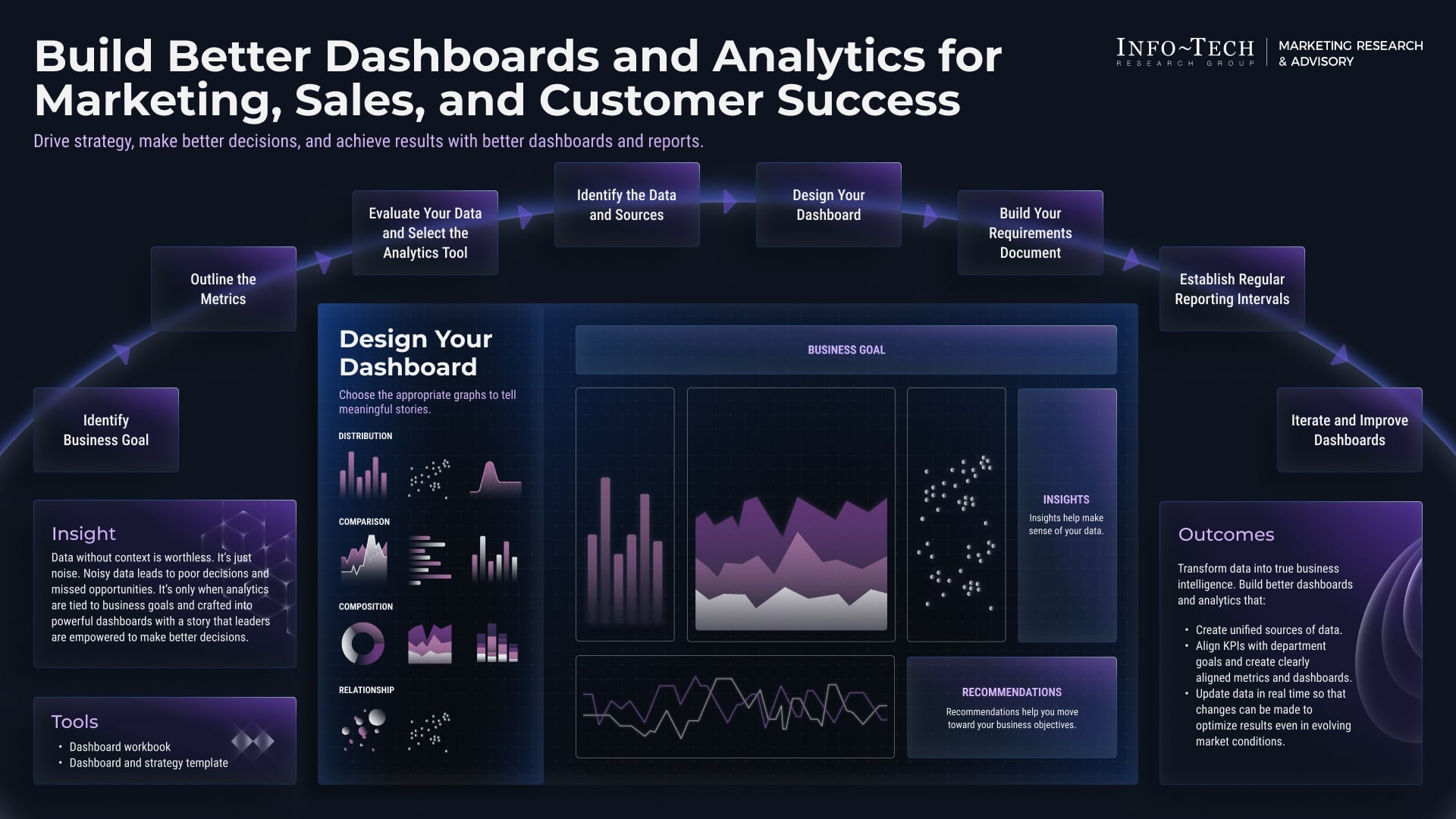
In 2026, the teams that win aren’t just collecting more data; they’re connecting the right data at the right moment. That’s exactly why Nutshell CRM’s new Google Analytics 4 integration is such a big deal. By bringing marketing performance and sales outcomes into the same workflow, businesses can finally see more clearly which channels are driving real pipeline, which campaigns are producing qualified opportunities, and where revenue is actually coming from.
Nutshell CRM's New Google Analytics 4 Integration: Connect Sales & Marketing Data in 2026
For years, marketing teams have lived in dashboards while sales teams have lived in the CRM, and the two worlds have not always spoken the same language. GA4 gives you a more flexible, event-driven view of website behavior, while a CRM like Nutshell tracks what happens after a lead raises their hand. The challenge has always been connecting those dots.
With Nutshell CRM’s GA4 integration, that gap gets much smaller. Instead of guessing whether traffic, campaigns, and content are contributing to revenue, teams can connect the dots from first visit to closed-won deal. That means stronger attribution, sharper reporting, better decisions, and a much cleaner handoff between marketing and sales.
In this guide, we’ll walk through what the integration does, how it works, why it matters, and how to set it up. If you want to follow along or evaluate Nutshell for your own team, you can also explore Nutshell CRM here.
Why GA4 and CRM data need each other
Google Analytics 4 is built around events. That makes it far more flexible than older analytics models, especially for tracking multi-device customer journeys, content engagement, and conversion actions. But GA4 alone cannot tell you what happened after someone became a lead, became an opportunity, or turned into a customer.
That’s where CRM data comes in. Nutshell knows what marketing qualified lead, sales qualified lead, opportunity, and customer mean for your business. It knows when a rep followed up, when a deal advanced, and when revenue was won. When you combine those insights with GA4 traffic and conversion data, you get a much more complete picture of performance.
This matters because most revenue journeys are not linear. A prospect may click an ad, download a whitepaper, return from an email, visit pricing pages, attend a webinar, and then talk to sales a week later. If marketing is only looking at traffic and sales is only looking at close rates, nobody sees the full story. Together, GA4 and Nutshell do.
What Nutshell’s GA4 integration helps you do
At a high level, the integration helps you connect website behavior in GA4 with sales activity in Nutshell. That allows your team to better understand how anonymous and known users move through the funnel and which touchpoints matter most.
1. Track marketing influence more accurately
When GA4 data flows into your CRM strategy, you can connect sessions, events, sources, and campaign engagement to the leads and opportunities they generate. That gives marketing a better understanding of which campaigns create pipeline, not just clicks.
2. See the journey from visitor to customer
GA4 can show what someone did on your site. Nutshell can show what happened once they became a contact. Put those together, and you get a more complete lifecycle view. That helps teams understand conversion paths and identify the content and pages that matter most.
3. Improve lead scoring and prioritization
When website engagement data is tied to CRM records, sales teams can prioritize higher-intent leads. A prospect who returned to the pricing page multiple times or engaged with key content may warrant faster follow-up than someone who only viewed a single blog post.
4. Tighten campaign reporting
Instead of reporting on “traffic” and “leads” separately, teams can align around opportunities, pipeline, and revenue. That makes it easier to justify spend, optimize campaigns, and decide where to invest next quarter.
5. Align sales and marketing around shared outcomes
One of the biggest benefits of any CRM-analytics integration is organizational clarity. When both teams can see the same data and agree on the same definitions, fewer handoff issues occur, fewer leads fall through the cracks, and performance reviews become more productive.
How the integration works in practice
While the exact configuration may vary depending on your account setup, the general idea is straightforward: you connect your Google Analytics 4 property to Nutshell so your CRM and web analytics data can work together more intelligently.
In practical terms, the integration can help your team move from fragmented reporting to connected insights. GA4 captures digital behavior on your website and app experiences. Nutshell captures pipeline and revenue outcomes. The integration bridges those layers so marketers and salespeople can analyze performance with much more context.
Event-based analytics meet pipeline data
GA4 is built around events such as page views, scrolls, clicks, form submissions, video plays, and conversions. Nutshell is built around CRM actions such as new leads, task completion, pipeline stage movement, activity history, and closed deals. When the two systems are integrated, those data points can be interpreted together instead of separately.
Source, medium, and campaign context
One of the most useful elements of GA4 is acquisition data. With the right setup, your CRM team can see where leads came from and how campaign traffic behaved before they converted. That makes it easier to distinguish between high-volume channels and high-quality channels.
Lifecycle visibility
A visitor is not automatically a lead, and a lead is not automatically a customer. The integration helps teams follow the lifecycle more clearly. You can examine how users move from early engagement to deeper consideration and then to sales conversations. That visibility can shape follow-up timing, content strategy, and budget allocation.
The real value of integrating analytics with CRM is not just better reporting. It is better decision-making across the entire revenue team.
Why this matters in 2026
In 2026, the pressure on revenue teams is higher than ever. Buyers are more self-directed, competition is fiercer, and leadership expects every dollar in marketing spend to be accountable. Teams can no longer rely on vanity metrics or disconnected dashboards to justify growth strategies.
At the same time, privacy changes and the decline of simplistic last-click thinking have made measurement more complex. Marketers need durable ways to understand what is working without overrelying on any single touchpoint. Sales teams need stronger context for which prospects deserve immediate attention. A GA4 integration inside a CRM helps bridge that gap by creating a more actionable view of intent and performance.
For companies scaling in 2026, this is especially important because revenue operations no longer sit in separate silos. Growth teams need shared data to coordinate campaigns, manage SLAs, and report on business impact. If you’re trying to build a more connected revenue engine, it may be worth checking out Nutshell CRM and seeing how the GA4 connection fits into your stack.
Benefits for marketing teams
Marketing teams often feel the pain of being judged on the wrong metrics. They generate traffic, engagement, and downloads, but leadership wants to know how those actions contribute to pipeline and revenue. The GA4 integration helps marketing teams tell a more compelling story.
Better attribution conversations
GA4 provides the behavioral layer. Nutshell provides the revenue layer. Together, they help answer questions like: Which campaign drove the most qualified opportunities? Which content influenced the most high-value deals? Which sources produce the best customers over time?
Smarter campaign optimization
Once you can see which channels produce real CRM outcomes, it becomes easier to improve budget allocation. You may discover that a channel with modest traffic is generating high-quality opportunities, while a high-traffic channel is mostly producing low-intent leads. That insight can change how you spend every month.
Stronger content strategy
Not all content is created equal. Some pages are great at attracting traffic, while others are better at converting serious buyers. By connecting GA4 engagement data to CRM outcomes, marketers can identify which pages, topics, and assets move the needle and which ones are just attracting passive visitors.
Clearer reporting to leadership
When marketing can report on revenue influence, not just clicks, it earns more trust. That often leads to better investment, stronger cross-functional alignment, and a more strategic voice inside the business.
Benefits for sales teams
Sales teams may not spend their days inside GA4, but they absolutely benefit from the data it provides when it is connected to Nutshell. The integration helps sellers prioritize better and follow up with more context.
Better lead prioritization
A prospect who has repeatedly engaged with your site may be a much stronger candidate for outreach than someone who only filled out a basic form. When sales reps can see that context, they can focus their energy on the highest-intent opportunities.
More personalized conversations
If a rep knows a lead came from a specific campaign or spent significant time on a particular product page, they can tailor their messaging more effectively. That creates better discovery conversations and can shorten the sales cycle.
Less guesswork in follow-up
Sales teams often ask a simple question: who should I call first? Connected analytics can help answer it. When the CRM includes website activity context from GA4, reps have more confidence in how they prioritize outreach.
Higher-quality handoffs from marketing
One of the biggest frustrations in revenue teams is receiving leads without enough context. The integration helps create better handoffs by giving sales more information about lead source, campaign behavior, and digital engagement patterns.
Benefits for leadership and RevOps
Executives and revenue operations teams care about one thing above all else: consistent growth with reliable measurement. The integration helps them build a more stable reporting framework.
More trustworthy forecasting
When pipeline generation is connected to channel performance, forecasting becomes more informed. Leadership can see whether campaign performance is actually translating into opportunities and revenue, not just early-stage activity.
Less manual reporting
Disconnected systems often force teams to export spreadsheets, merge files, and reconcile metrics manually. That wastes time and introduces errors. A CRM-integrated analytics workflow reduces the need for manual aggregation and creates a more scalable reporting process.
Cross-functional alignment
RevOps teams are often tasked with getting marketing, sales, and customer success to speak the same language. Shared data makes that easier. When everyone looks at the same lifecycle and performance data, meetings become more useful and strategic.
How to set up Nutshell’s GA4 integration
The exact setup may depend on your account structure, website tagging, and internal reporting needs, but the onboarding process is generally straightforward. Here’s a practical setup guide to help your team get started.
Step 1: Review your measurement goals
Before connecting anything, decide what you want to learn. Are you trying to identify which campaigns generate the best leads? Do you want to improve pipeline attribution? Are you trying to understand the relationship between page engagement and deal conversion? Clear goals help you configure the integration correctly.
Step 2: Confirm your GA4 property is configured properly
Make sure your GA4 property is live and collecting clean data. Confirm your key events, conversions, and audience definitions are set up correctly. If your website has multiple domains, subdomains, or forms, review your tracking structure to avoid data gaps.
Step 3: Connect GA4 to Nutshell
Inside Nutshell, navigate to your integrations or settings area and locate the Google Analytics 4 connection. From there, authorize the connection and select the appropriate GA4 property. Depending on how your organization is set up, you may need admin-level access in both platforms.
Step 4: Define the CRM events you care about
Think about the activities that matter most for your sales process. These might include new lead creation, opportunity creation, stage changes, demo requests, contact form submissions, meetings booked, or closed-won deals. Aligning these events with your analytics strategy will help you get more meaningful reporting.
Step 5: Map source and campaign data
To get the most value from the integration, ensure your UTM parameters and acquisition data are standardized. If your campaigns are tagged inconsistently, it becomes much harder to analyze results. This is a great opportunity to clean up naming conventions across marketing teams.
Step 6: Test the data flow
Before relying on the integration for strategic decisions, run a few test journeys. Submit a form from a tracked campaign, confirm the lead appears in Nutshell, and check whether the relevant source data and behavior context are visible. A short validation phase can prevent reporting issues later.
Step 7: Build shared dashboards and reports
Once the integration is active, create reports that both sales and marketing can use. Focus on metrics like lead-to-opportunity conversion rate, source-to-revenue performance, campaign-influenced pipeline, and time-to-close by source. The goal is to make the data actionable, not just visible.
Best practices for getting the most out of the integration
Connecting tools is only the beginning. To unlock real value, your team needs a solid operating process around the data.
Standardize your UTM conventions
If campaign names vary from person to person, your reporting will become messy fast. Establish a clear system for source, medium, campaign, content, and term tagging, and keep it consistent.
Track meaningful events, not everything
GA4 can capture a lot of activity, but more data is not always better. Focus on the events that matter most for revenue. That usually includes high-intent page views, form submissions, key downloads, booking actions, and other engagement signals that correlate with pipeline.
Align on lifecycle definitions
Make sure marketing and sales agree on what counts as a lead, MQL, SQL, opportunity, and customer. When those definitions are clear, the integration becomes much more powerful because everyone is measuring the same funnel.
Use the data to improve process, not just reports
It is tempting to stop at dashboards. But the real advantage comes from acting on insights. If one channel produces high-quality leads, double down on it. If a page has strong engagement but weak conversion, improve the CTA. If leads from a campaign stall at a certain stage, investigate the sales process.
Revisit your reporting monthly
Your audience, campaigns, and funnel will evolve over time. Review the data regularly to make sure your dashboards still reflect your current business goals. In 2026, agile measurement is a competitive advantage.
Example use cases for teams
Here are a few practical ways the integration can help different teams in a SaaS business.
Demand generation team
The demand gen team can see which paid campaigns generate the most qualified opportunities, not just the most form fills. That helps them optimize spend and build stronger business cases for budget.
Content marketing team
Content marketers can understand which articles and landing pages contribute to pipeline, helping them focus on topics that influence buyers instead of only chasing raw traffic.
Sales development team
SDRs can identify leads that are showing stronger digital intent, which supports better prioritization and faster outreach.
Founders and executives
Leadership can see which initiatives are contributing to business growth and where the funnel is leaking, all in a more connected way.
Common questions teams ask before connecting GA4
Will this replace my marketing automation platform?
No. The integration is about connecting analytics and CRM data, not replacing the tools you already use for email marketing, automation, or lead nurturing.
Do I still need clean UTM tagging?
Yes. In fact, clean tagging becomes even more important when you want reliable cross-channel reporting.
Can sales use this without learning GA4?
Usually yes. The point is to bring the most relevant analytics context into the CRM workflow so sales can act on it without needing to live inside an analytics interface all day.
Is this only useful for large companies?
Not at all. Small and mid-sized teams may benefit even more because they have fewer people and less time for manual analysis. A connected system saves time and improves decision-making.
How this fits into a modern revenue stack
The best SaaS teams in 2026 are building revenue stacks that are connected, not scattered. GA4 handles behavioral analytics. Nutshell handles pipeline and sales execution. Email, ads, website forms, customer support, and reporting tools all feed into the same growth engine.
When your stack is connected, every department gets more useful context. Marketing knows what drives revenue. Sales knows what leads are warmest. RevOps knows where the process is breaking. Leadership gets a more accurate picture of growth. That’s the real value of integrations like this one.
If you’re comparing CRM platforms and want a system that helps unify sales and marketing data without overcomplicating your workflow, it’s worth taking a closer look at Nutshell CRM. And if you’re ready to evaluate how the GA4 connection could support your pipeline reporting, you can also start with Nutshell here.
Final thoughts
In a world where every growth team is asked to do more with less, clarity is a competitive advantage. Nutshell CRM’s new Google Analytics 4 integration gives businesses a better way to connect the dots between marketing activity and sales outcomes. Instead of working from isolated dashboards, teams can make decisions with shared data, shared definitions, and shared goals.
For marketers, that means better attribution and more defensible reporting. For sales teams, that means smarter prioritization and more relevant follow-up. For leadership, that means stronger visibility into what is actually driving revenue. And for the business as a whole, it means less friction and more focus.
If your team is ready to connect the website journey with the sales pipeline, 2026 is a great time to make that move. The sooner your analytics and CRM systems start working together, the sooner you can build a revenue engine that is easier to measure, easier to optimize, and far more aligned.